 Approval Flows
Approval chains for
your Filament panel
Sequential & parallel approval steps, role- or user-based approvers, delegation, escalation, a full audit trail and a ready-made Approval Inbox — all DB-driven, no code deploys to change a chain.
Filament v4 & v5 · PHP 8.2+ · one-time license
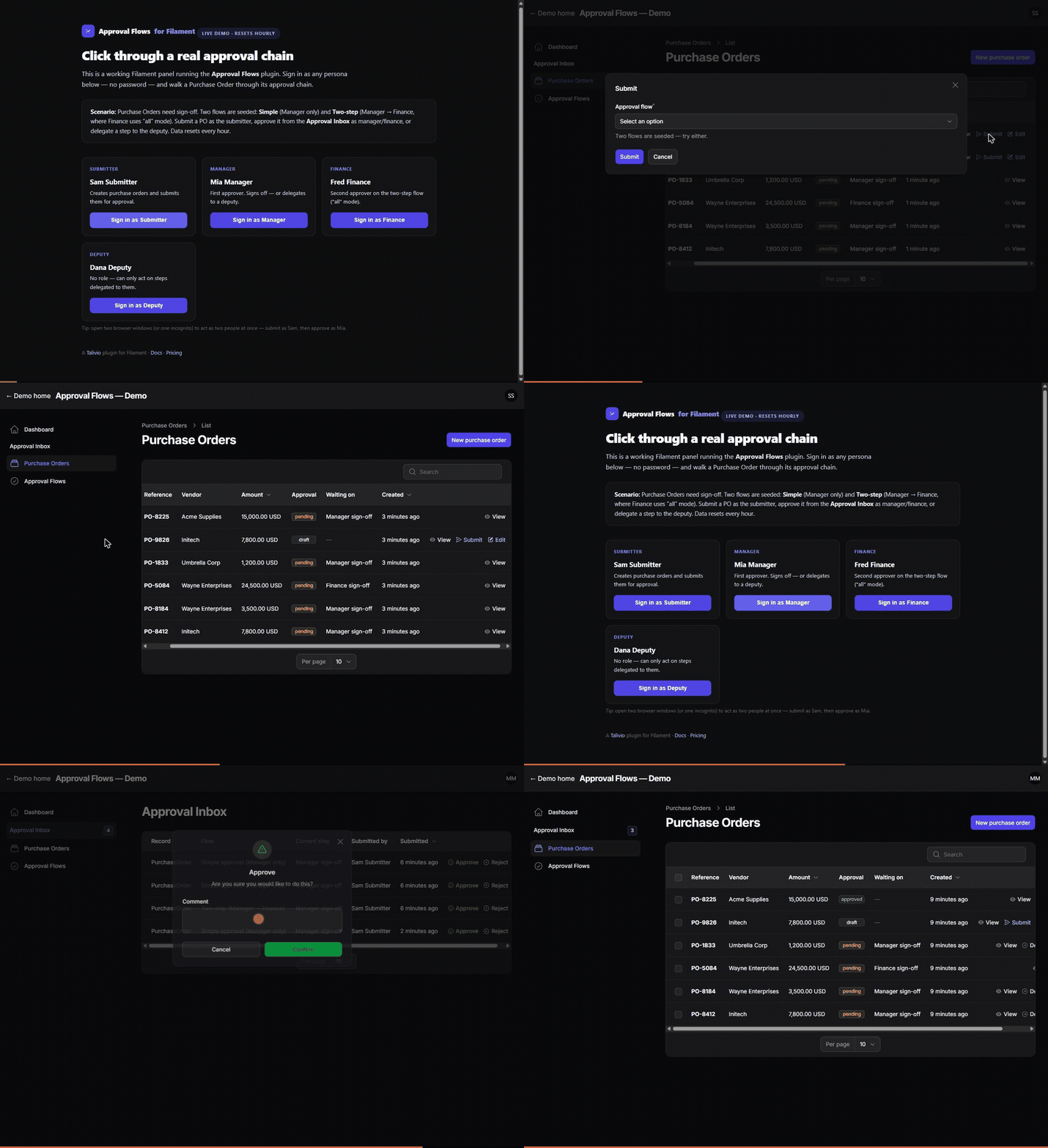 Try it live
Everything an approval workflow needs
No half-baked state machine to wire up yourself — Approval Flows ships the whole chain, the inbox, and the audit trail.
DB-driven flows
Define flows and steps per model in the admin UI or a seeder — no code deploy to change a chain.
Sequential & parallel
“Any” (first sign-off passes) or “all” (every approver must sign) per step.
Role or user approvers
spatie/laravel-permission roles resolved out of the box, plus a pluggable resolver.
Delegation
Approvers hand off a pending step; opt out per step.
Escalation
Pending-too-long steps trigger notifications on a schedule you control.
Approval Inbox
A panel page listing everything the signed-in user can act on, with a badge count.
Add it to any model
-
1
Add the trait
Use HasApprovals on the Eloquent model you want to gate (a PurchaseOrder, an Invoice, a Post…).
-
2
Define a flow
Create a flow and its ordered steps — in the bundled admin resource or a seeder. Assign each step to a role or specific users, pick "any" or "all".
-
3
Submit & react
Call $model->submitForApproval(). Approvers act from the Inbox; you listen for ApprovalCompleted to run your side effects.
use Talivio\ApprovalFlows\Concerns\HasApprovals;

class PurchaseOrder extends Model
{
    use HasApprovals;
}

// Submit a record for approval:
$po->submitForApproval();

// Run your side effect when the chain completes:
Event::listen(ApprovalCompleted::class, fn ($e) =>
    $e->approval->approvable->markApproved()
);
See it before you buy
Click through a real Purchase Order approval — sign in as a submitter, a manager, or finance with one tap. Resets hourly.